


Introduction
Most people don’t struggle with using a Notion productivity dashboard — they struggle with building one that actually works.
You start with a simple Notion dashboard template, add tasks, goals, and habits, and before long, it turns into something harder to manage than it is to use.
The result is familiar: the system feels organized on the surface, but inconsistent in practice. Small updates become harder, and clarity slowly fades over time.
The problem isn’t Notion. It’s the way the Notion setup is put together.
In this guide, you’ll explore 6 smart Notion setup ideas every productivity dashboard needs to function properly — and the reasoning behind why these structures matter in the first place.
By the end, you’ll understand what actually makes a Notion dashboard work long-term — and why most setups gradually lose effectiveness even when they look complete at the start.
👉 If you prefer not to build everything manually, use my pre-built Notion dashboard template—it already applies these setup principles, so you can focus on using the system instead of designing it.
Why Most Notion Productivity Dashboards Fail
Most Notion productivity dashboards don’t fail at the start — they fail over time.
At first, everything feels structured: tasks are tracked, goals are defined, habits are recorded. The system gives a sense of clarity.
But as usage increases, friction starts to build:
- Pages multiply.
- Databases become harder to navigate.
- Updates feel inconsistent.
Eventually, maintaining the dashboard starts taking more effort than using it.
The core issue isn’t Notion itself — it’s the lack of intentional system design behind the Notion setup.

Here’s why.
Most people build dashboards by stacking components. Each element functions independently, but there is no underlying structure defining how they should interact.
Without that relational logic, the system cannot coordinate itself. Tasks don’t naturally align with goals, habits remain isolated from outcomes, and the dashboard stops behaving like a system — it becomes a collection of parts.
That’s where the breakdown happens. Once connections are missing, even small updates introduce friction, and the entire setup gradually loses coherence.
So instead of a productivity system, you end up with pages that slowly drift out of sync with how you actually work.
👉 This is usually the point where people realize a structured Notion dashboard template is more effective than building everything from scratch — because the system design is already solved, not assembled piece by piece.
Setup Idea #1 — A Central Notion Dashboard That Connects Everything
Most Notion setups fail for a simple reason: they don’t have a true “command center.”
Instead, users often create a so-called “Personal Hub” and treat it as a dumping ground for links, pages, and navigation shortcuts.
Without a clear "execution hub", users tend to jump between pages—tasks in one place, goals in another, notes somewhere else. Each part works individually, but nothing actually coordinates the system as a whole.
A high-performing Notion productivity dashboard solves this by creating a single command layer: a central dashboard that everything flows through.
This is not just a homepage. It is the decision point of your entire system.
From here, you should be able to:
- see what needs attention today
- access your active tasks instantly
- check progress on goals without digging
- move between life areas without losing context
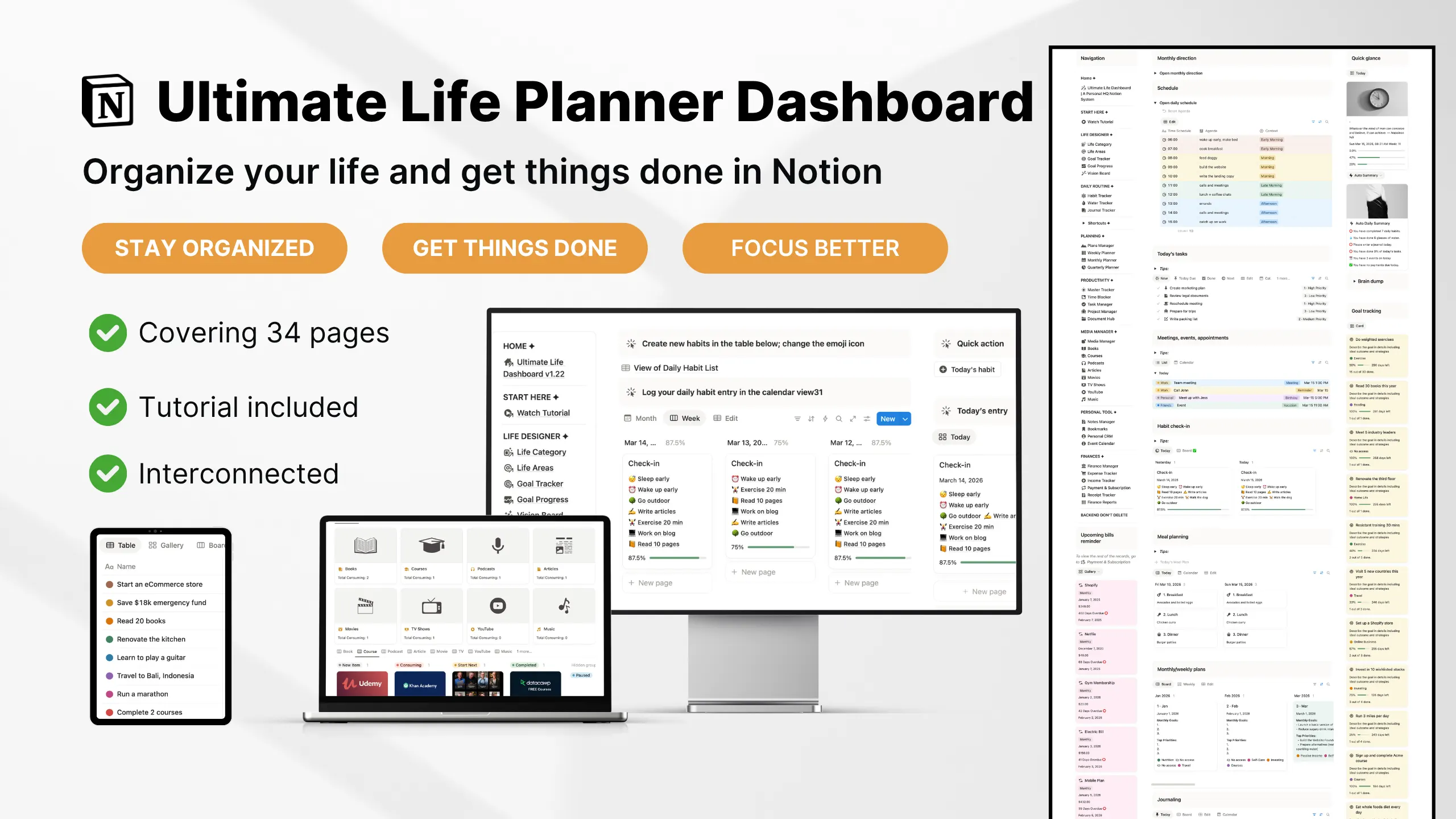
Here’s the exact Notion life dashboard template designed for daily productivity:

The key shift is this: your dashboard is no longer where information is stored — it’s where decisions are made.
When your Notion setup is centralized correctly, three things happen:
- You stop wasting time searching for context
- You reduce duplicate systems and overlapping pages
- You make execution faster because everything starts from one place
This is also where most DIY dashboards break down. People create multiple “important pages,” but none of them function as the actual control center. As a result, the system still feels fragmented even if everything is technically organized.
A well-designed Notion life dashboard template solves this by pre-building that structure. The central dashboard is already designed to connect tasks, goals, habits, and projects into one coherent flow—so you don’t have to figure out the architecture yourself.
👉 If your current setup feels like you’re constantly jumping between pages, this is the first structure worth fixing. Everything else depends on it.
Setup Idea #2 — A Daily Time Blocking System Built Into Your Dashboard
Most Notion dashboards tell you what to do. Very few help you decide when to do it.
That gap is where most productivity systems break.
You end up with a long task list, but no clear structure for execution. Tasks compete for attention, and your day becomes reactive instead of intentional.
A high-performing Notion productivity dashboard solves this by integrating a daily time blocking system directly into the main dashboard.
Instead of keeping your schedule in a separate tool, your tasks and time are managed in the same system.
What This Looks Like Inside a Notion Setup
On your main dashboard, a dedicated time blocking database is pinned for daily use. It is not buried in another page — it is visible the moment you open your workspace.
This is where your day gets structured.
You can quickly plan your schedule by assigning specific hours to specific activities — deciding exactly what to work on and when.
Instead of guessing your next move, your system already shows:
- what to work on
- when to do it
- how your day is structured
Each time block can be tagged by context, such as: upon waking, early morning, late morning, midday, evening, and night
These context tags allow you to color-code your schedule, making it easier to scan your day and match tasks with your energy levels.

To keep the system clean, a simple “Reset Agenda” function lets you refresh your schedule for a new day. This removes the need for manual cleanup and keeps your workflow consistent.
The result is a system that doesn’t just organize your tasks — it actively guides your day.
Setup Idea #3 — A Connected Task Manager System (Not Just a To-Do List)
Once you’ve defined the structure of your day, the next step is deciding what tasks to get done.
This is where most systems fall apart.
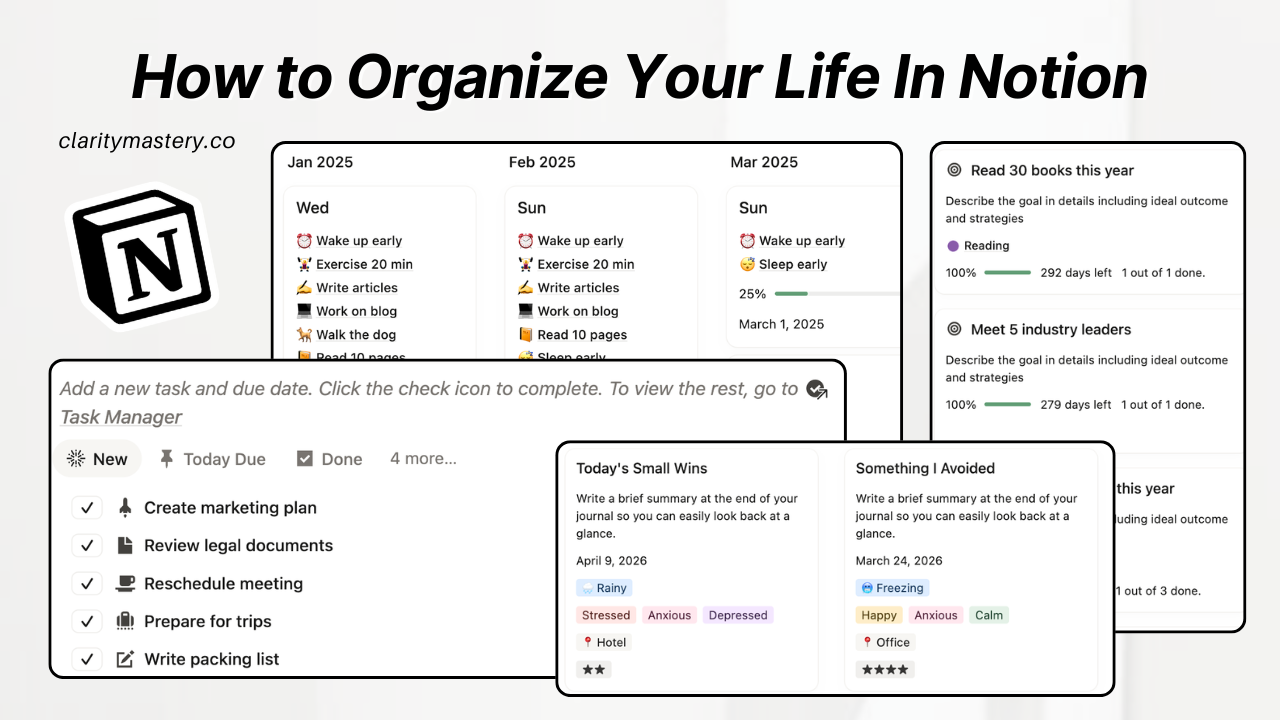
A typical to-do list simply captures tasks. It’s easy to keep checking boxes and staying busy without actually moving things forward.

But a high-performing Notion task manager connects every task to a larger system.
Instead of existing as standalone items, each task is linked to three key layers:
- Projects → what you are currently working on
- Goals / Outcomes → what you are trying to achieve
- Life Areas → the part of your life it belongs to (work, health, personal, etc.)
This turns your task list into a structured workflow.
Projects Get Broken Down Into Tasks
Each project is divided into smaller, actionable tasks.
Instead of managing a project as a single item, you can see all the steps required to complete it. This makes execution clearer and prevents large projects from becoming overwhelming.

Tasks Are Tied to Measurable Goals
Each task can be linked to a specific goal or outcome.
This ensures that your daily actions contribute to something measurable, not just activity. You can clearly see how each task moves a goal forward.
Each Task Belongs to a Life Area
Each task can be categorized under a life area, such as work, health, or personal.
This gives you a higher-level view of where your time and energy are going, helping you maintain balance across different areas of your life.

Setup Idea #4 — A Dedicated System for Meetings, Appointments, and Events
Even with a structured schedule and task system, most dashboards still miss one critical layer: external commitments.
Meetings, appointments, and events are not tasks — but they directly affect how your time is used.
If they are not integrated into your Notion productivity dashboard, your plan breaks the moment your day starts.
How Meetings and Events Fit Into Your Notion Dashboard
Instead of managing meetings in a separate calendar, a high-performing Notion setup includes a master database for:
- meetings
- appointments
- events
These are treated as fixed time blocks inside your system.
Each entry includes:
- a scheduled date and time
- context (work, personal, etc.)
- optional notes or agenda
This ensures your commitments are visible alongside your tasks and time blocks.

Why This Matters for Daily Execution
Without this layer, your schedule is incomplete.
You may plan your day perfectly, but:
- meetings interrupt deep work
- appointments take up time unexpectedly
- events shift your priorities
When these are built into your Notion daily planner, your system reflects reality.
You don’t over-plan. You plan around what is already committed.
👉 If you want a Notion life dashboard template that integrates meetings, tasks, and time blocks into one system, use a pre-built setup so your daily planning stays accurate without manual coordination.
Setup Idea #5 — A Daily Habit Tracker Built Into Your Dashboard
A productivity system is not just about tasks and schedules. It’s built on what you do consistently every day.
That’s where most dashboards fall short.
They focus on planning and execution, but ignore the habits that support your energy, focus, and long-term consistency.
A high-performing Notion productivity dashboard includes a daily habit tracker directly inside the system — not as a separate tool.
How a Daily Habit Tracker Works Inside Your Notion Setup
Instead of tracking habits manually or across different apps, your Notion habit tracker is part of your daily workflow.
It focuses on the routines that shape your day:
- daily routines
- healthy habits
- energy management

Each day is automatically generated using a pre-built template.
When a new day starts:
- your habit checklist is already set
- you simply tag or check what you’ve completed
- your progress bar updates automatically
There is no need to rebuild the system or reset anything manually.
Why This Matters for a Notion Productivity Dashboard
Without habit tracking, your system only manages output.
With it, your system supports:
- consistency
- energy levels
- sustainable productivity
Your Notion daily planner is no longer just about getting things done — it helps you maintain the routines that make execution easier.
Over time, this creates a feedback loop:
- strong habits → better focus
- better focus → better execution
- better execution → real progress
Setup Idea #6 — Goal Progress Tracking That Shows What You’re Actually Moving Forward
A productivity system is incomplete if you can’t clearly see whether you are making progress.
That’s where most Notion dashboards fail. They track tasks and habits well, but they don’t show how those actions translate into real outcomes.
A high-performing Notion productivity dashboard solves this with a dedicated goal progress tracking system.
How Goal Tracking Works Inside Your Notion Setup
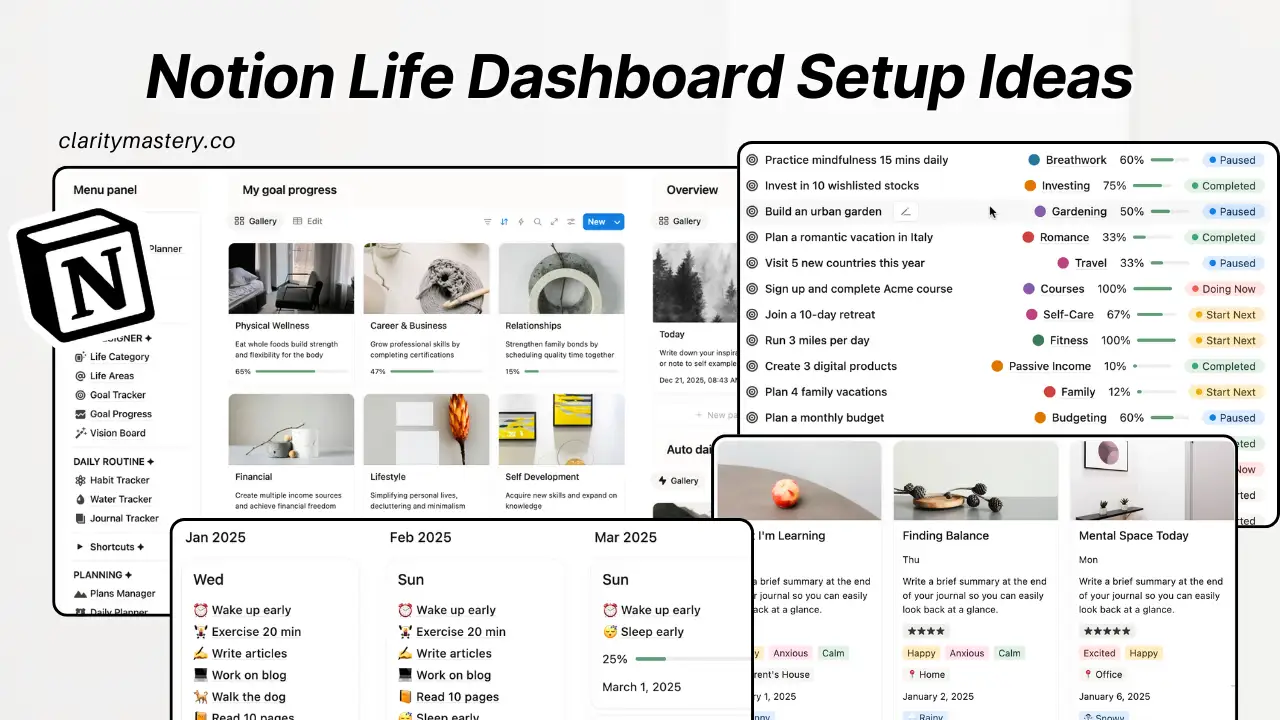
Instead of treating goals as static pages, your Notion setup turns them into active, trackable outcomes inside your dashboard.
This lets you clearly see:
- your active goals
- which life area each goal belongs to
- progress based on completion or updated values
- countdown to deadline

Each goal becomes a live indicator of movement, not just a written intention.
You are not guessing progress — you can see it instantly.
Why This Matters for a Notion Productivity Dashboard
Without structured goal tracking, it’s easy to stay busy but lose sight of direction.
With it, your system becomes outcome-driven:
- tasks feed into goals
- goals reflect real progress
- life areas stay balanced and visible
This is what turns a Notion daily planner into a long-term execution system instead of just a task manager.
You don’t just ask “what did I do today?”
You can clearly see “what am I actually building toward?”
Final Thoughts — Building a Notion System That Actually Works
Most Notion dashboards don’t fail because they lack features. They fail because they lack structure between those features.
Once you connect the core layers — time blocking, tasks, meetings, habits, and goal tracking — your Notion productivity dashboard stops being a collection of tools and starts functioning as a system.
At that point, productivity becomes less about managing everything manually and more about following a clear structure:
- your day is already time-blocked
- your tasks are already linked to goals
- your habits support your energy
- your goals show real progress
The goal is not to make your Notion setup more complex. It’s to remove the friction between planning and execution.
If you’ve followed through each setup idea, you now have a clear picture of what a high-performing Notion life dashboard template actually looks like — not just in design, but in how it operates day to day.
And the real difference is this:
you don’t need more discipline to stay productive — you need a system that makes the next step obvious.
👉 If you want to skip the setup process, you can use a pre-built Notion productivity dashboard template that already connects all of these systems together, so you can focus on execution instead of building the structure from scratch.
Frequently Asked Questions
1. What is a Notion productivity dashboard?
A Notion productivity dashboard is an all-in-one workspace that combines tasks, goals, habits, schedules, and notes into a single system. Instead of using multiple tools, it helps you manage your entire Notion setup in one place so you can plan, track, and execute your work more efficiently.
2. Is Notion good for productivity?
Yes, Notion is highly effective for productivity when structured properly. A well-designed Notion productivity dashboard helps reduce context switching, organize priorities, and centralize your daily planning. However, its effectiveness depends heavily on system design rather than just the tool itself.
3. Why do most Notion dashboards fail?
Most dashboards fail because they are built as collections of pages rather than structured systems. Without proper connections between tasks, goals, and time, a Notion setup becomes fragmented, leading to confusion, maintenance overhead, and loss of clarity over time.
4. What should a Notion life dashboard include?
A strong Notion life dashboard template typically includes tasks linked to goals, a daily planner or time blocking system, habit tracking, meeting management, and goal progress tracking. These components work together to support both short-term execution and long-term outcomes.
5. How do you use Notion for task management?
Task management in Notion works best when tasks are linked to projects, goals, and life areas instead of existing as standalone lists. This structure turns a simple task list into a full Notion task manager system, allowing you to prioritize based on impact rather than urgency alone.
6. What is time blocking in Notion?
Time blocking in Notion is a method where you assign specific time slots to tasks and activities directly inside your dashboard. A Notion daily planner with time blocking helps structure your day, reduce decision fatigue, and ensure your tasks are executed at the right time instead of being left unplanned.
7. Can Notion be used for habit tracking?
Yes, Notion can be used as a powerful habit tracker. A Notion habit tracker allows you to monitor daily routines, track consistency, and visualize progress over time. When integrated into a productivity dashboard, it supports energy management and long-term performance.
8. Do I need to build a Notion productivity system from scratch?
Not necessarily. While Notion is flexible, building a complete system from scratch can be time-consuming and complex. Many users prefer using a pre-built Notion productivity dashboard template that already includes task systems, goal tracking, time blocking, and habit tracking to avoid setup friction.




.png)

