


If you're juggling multiple to-do lists, scattered notes, and goals that never seem connected… you're not alone.
Most busy adults aren’t struggling because they’re lazy or unmotivated.
They’re struggling because their life is organized across too many disconnected places.
One app for tasks.
Another for notes.
A separate tracker for habits.
Goals written somewhere… but rarely reviewed.
Everything technically exists — but nothing actually works together.
What you’ll learn
In this post, you’ll learn
- how to organize your busy life in one connected Notion dashboard
- why most daily planning systems fail busy adults
- the simple 4-step method to reduce mental clutter
- what to include in a life dashboard that actually works
- the fastest way to set up your system without starting from scratch
Featured: Ultimate Notion Life Planner Template
👉 If you're looking for a complete system that combines goals, projects, tasks, habits, notes, finances, and planning into one workspace, see this Notion Life Planner Template.
→ See how the system works
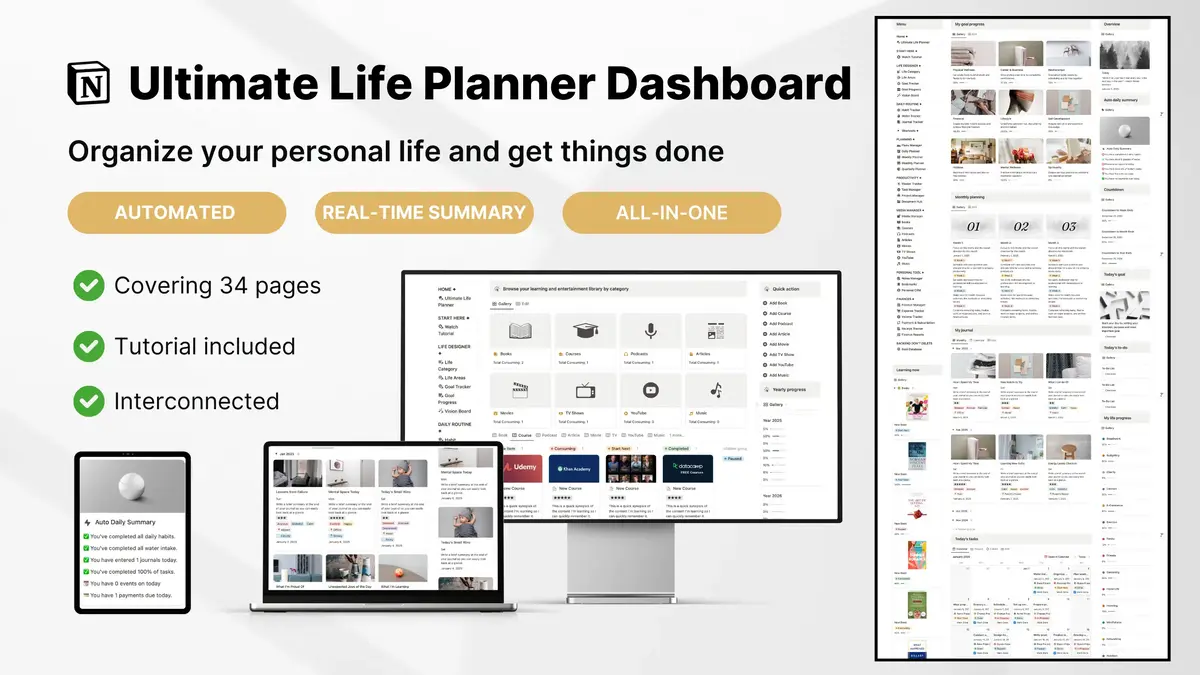
The 5-step system to stay organized in Notion
Below is the practical 4-step method you can use to organize your entire life in Notion without creating something overly complicated.
Step 1: Capture Everything in One Trusted Place
Most overwhelm doesn’t come from having too much to do — it comes from trying to remember everything in your head while your tasks live in different places.
What works better is having one trusted capture point where you can quickly log:
- tasks
- ideas
- reminders
- quick notes
Once your brain trusts that nothing will be lost, mental clutter starts to drop almost immediately.
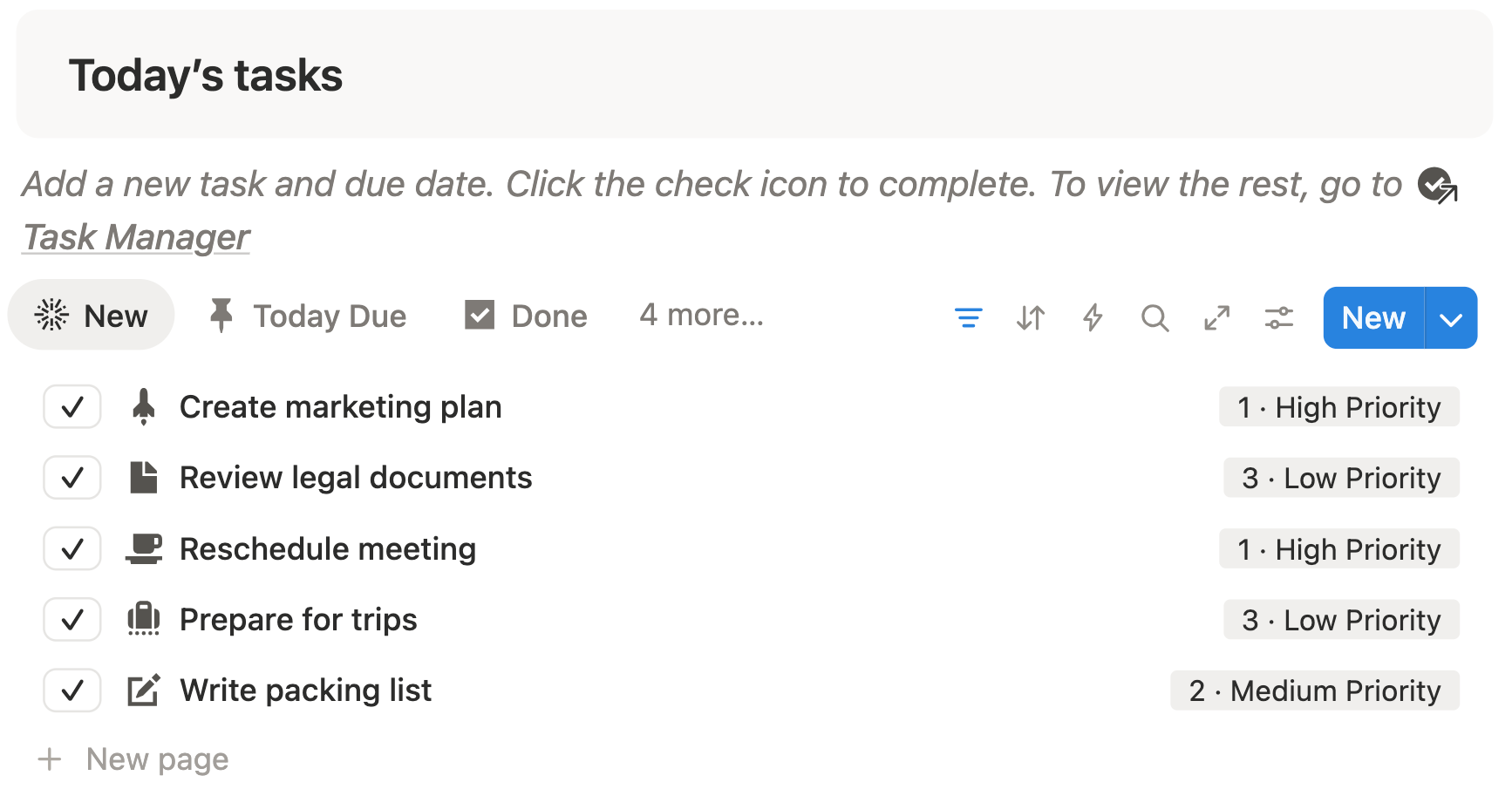
Use the Task Manager in the Notion Life Dashboard
Inside the Ultimate Notion Life Planner, you can use the Task Manager to “brain dump” quick tasks or to-dos.
There’s no need to worry about categories yet — just capture anything that comes to mind.
When you’re done capturing your priorities, you can move these brain-dumped tasks to their life buckets — Work, Personal, Projects, or Habits — and then prioritize them.
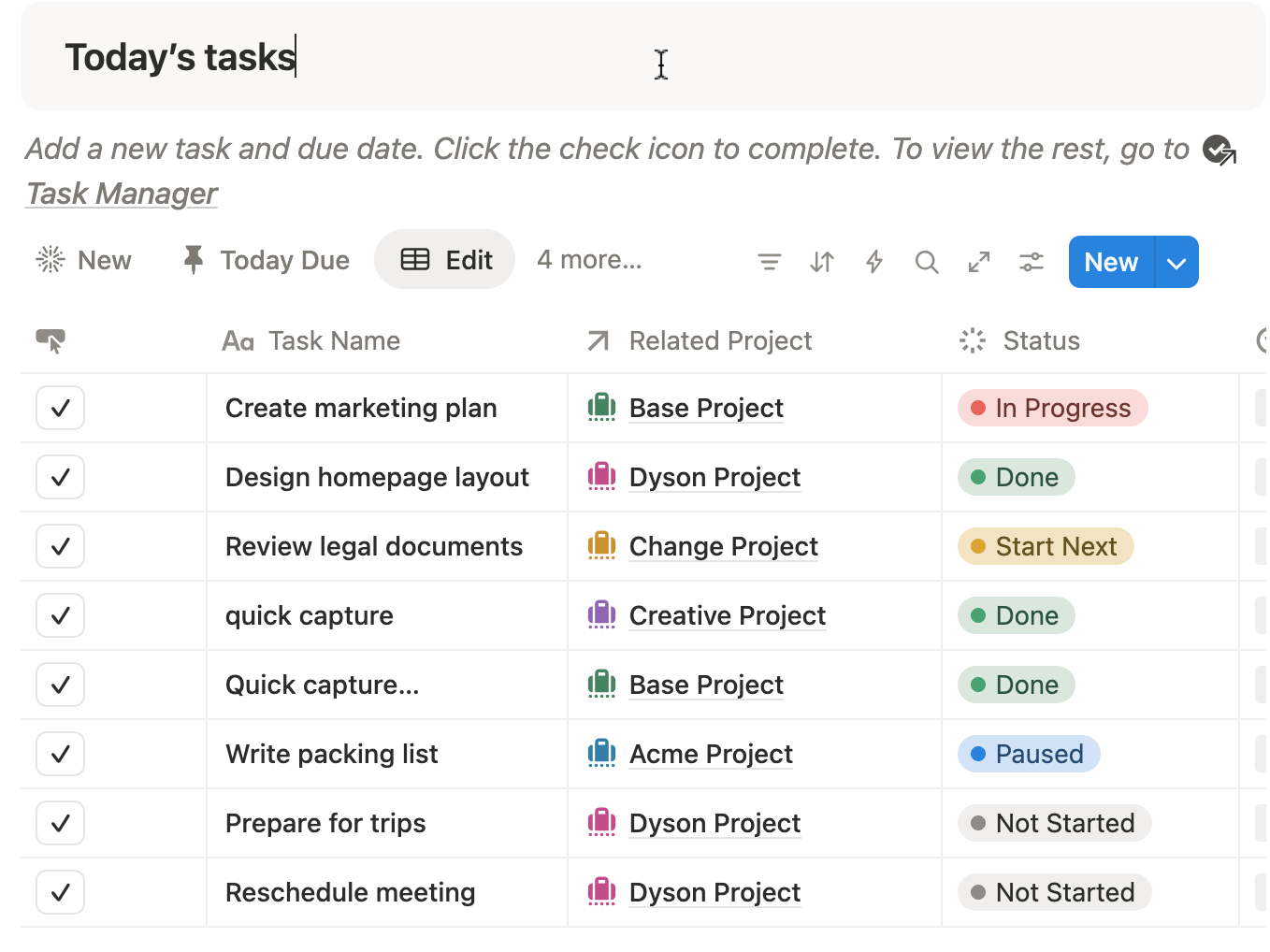
Step 2: Track Your Goals and Progress
Being busy isn’t the problem — it’s working hard without seeing progress. When goals are scattered in your head or across multiple apps, it’s easy to lose motivation and feel stuck.
The solution? Track your goals in one central system so you can clearly see what’s done, what’s next, and how far you’ve come.
Use the Goals Dashboard in Your Notion Life Planner
With your Ultimate Notion Life Planner, you can:
- Break down big goals into smaller, actionable steps
- Assign tasks to each goal and track completion automatically
- See visual progress bars that show your achievements at a glance
Start by adding your main goals — work, personal, or learning projects. Then, link smaller tasks from your Task Manager to each goal.
By connecting tasks to goals, you’ll see progress in real-time, stay motivated, and never lose track of what truly matters.

Step 3: Build and Maintain Habits Consistently
One of the biggest struggles for busy adults is turning intentions into routines. You might know what habits you want — exercising, reading, or meditating — but keeping them consistent is hard without a system.
The key is tracking habits in a single, visible place so you can see patterns, celebrate streaks, and adjust as needed.
Use the Habit Tracker in Your Notion Life Planner
With your Ultimate Notion Life Planner, you can:
- Log habits daily or weekly with just a few clicks
- Automatically track streaks and consistency scores
- Identify which habits are sticking and which need extra attention
Start by entering your core habits into the tracker. Each day, check off what you’ve completed. The template automatically updates your progress and highlights patterns over time.
By making your habits visible and measurable, it’s easier to stay consistent, reduce decision fatigue, and gradually build routines that stick — without feeling overwhelmed.

Step 4: Journal and Reflect to Reduce Mental Clutter
Even when tasks, goals, and habits are organized, mental clutter can still weigh you down. Thoughts, ideas, and lessons from daily life often get lost, leaving you feeling scattered or stuck.
The solution is regular journaling and reflection, which helps you process your day, track wins, and plan smarter for the future.
Use the Daily Journal in Your Notion Life Planner
With your Ultimate Notion Life Planner, you can:
- Record daily reflections, wins, and lessons learned
- Track moods and energy levels to spot patterns
- Link journal entries to your monthly and yearly dashboards for a big-picture view
Start by writing a few minutes each day: what went well, what challenges came up, and what you want to focus on tomorrow. Over time, you’ll notice trends, gain clarity, and make better decisions.
By keeping your reflections in Notion, your thoughts are organized, searchable, and actionable — helping you reduce mental clutter and keep your life aligned with your goals.

Step 5: Keep Track of Your Finances Without Stress
For many busy adults, money management feels overwhelming. Bills, savings, spending, and investments often live in different apps or spreadsheets, making it hard to see the full picture. This can lead to missed payments, overspending, or feeling out of control.
The solution is tracking finances in one place so you always know where your money is going and can make smarter decisions.
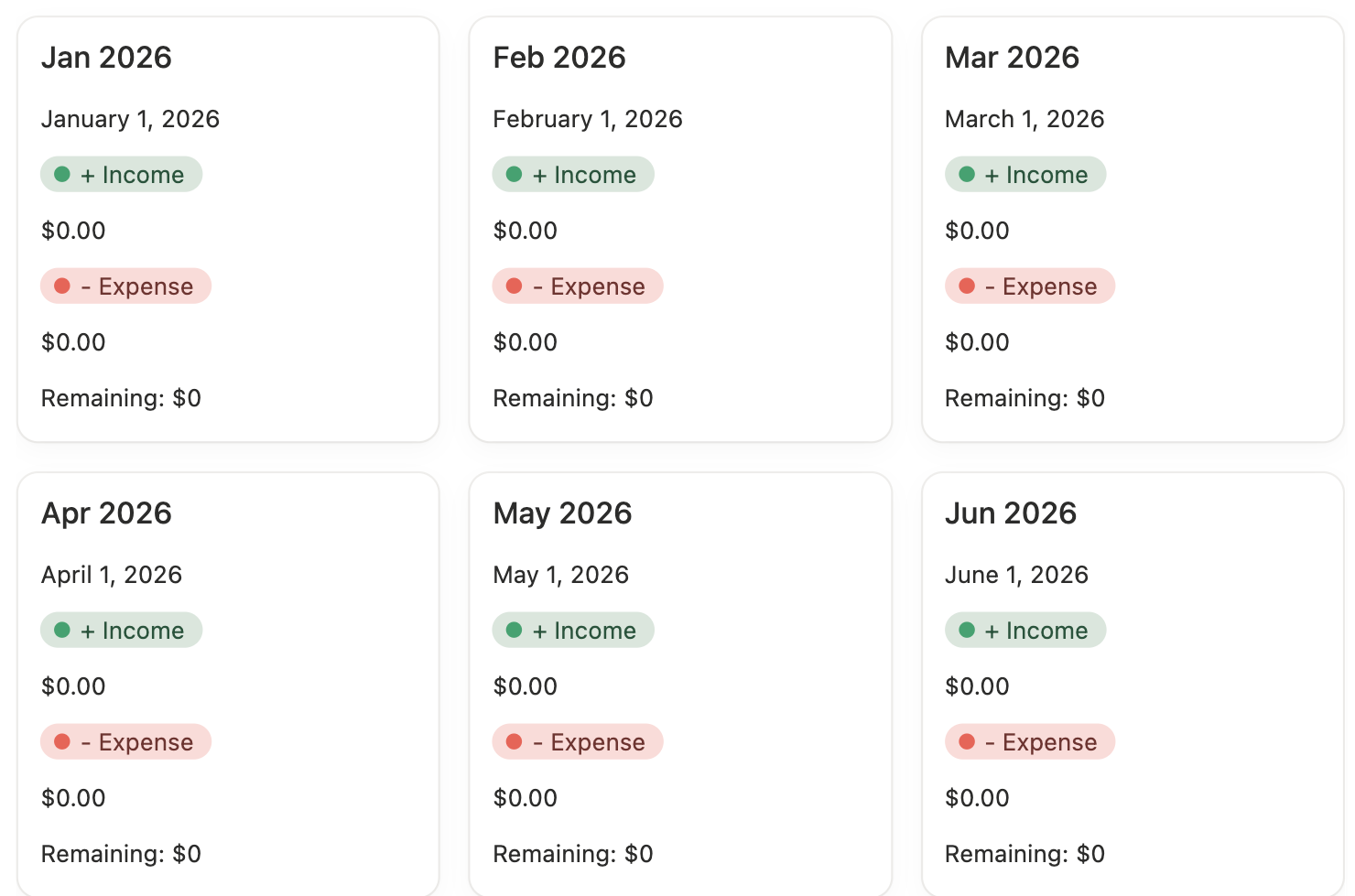
Use the Finance Tracker in Your Notion Life Planner
With your Ultimate Notion Life Planner, you can:
- Log income, expenses, and bills in one dashboard
- Categorize spending by needs, wants, and savings
- See how much you earn, spend, and have remaining in one place
Start by entering monthly expenses, and any income. The template calculates your total expenses and total income for the particular month. So you can compare your financial picture month-over-month
By keeping your finances organized in Notion, you’ll reduce stress, prevent overspending, and see your progress toward financial goals — all from the same dashboard that manages your tasks, goals, and habits.
Summary: 5-Step Notion Life Organization System
Being busy doesn’t have to mean feeling overwhelmed. With this 5-step system, you can finally take control of your tasks, goals, habits, reflections, and finances — all in one connected Notion dashboard:
- Capture everything in one trusted place
- Track your goals and measure progress
- Build habits consistently
- Journal and reflect to reduce mental clutter
- Manage your finances effortlessly
By following these steps, you’ll not only stay on top of your day-to-day responsibilities, but also gain clarity, reduce stress, and make meaningful progress toward your bigger goals.
Ready to Get Started?
The easiest way to implement this system is to use the Ultimate Notion Life Planner. It’s fully set up with:
- Task Manager for capturing and organizing everything
- Goals Dashboard with progress tracking
- Habit Tracker to maintain consistency
- Daily Journal and reflection pages
- Finance Tracker for stress-free money management
✅ Duplicate the template today and start organizing your life in Notion — so you can spend less time worrying and more time achieving what matters most.
Frequently Asked Questions
1. How do I organize my entire life in Notion?
To organize your entire life in Notion, create one central dashboard that connects tasks, goals, habits, journaling, and finances. Instead of using separate pages for everything, link your databases together so your daily tasks connect to bigger goals. A structured life dashboard keeps everything in one trusted place.
2. What should a Notion life dashboard include?
A functional Notion life dashboard should include:
- A task manager (for daily planning)
- A goals tracker (to measure progress)
- A habit tracker (to build consistency)
- A journal (for reflection and clarity)
- A finance tracker (for money management)
When these systems are connected, your life feels organized instead of scattered.
3. How do I reduce mental clutter using Notion?
You can reduce mental clutter by capturing everything in one trusted space. Use a single task manager to brain dump ideas, reminders, and to-dos. When your brain knows nothing will be forgotten, stress drops and focus improves.
4. Can I track goals and tasks together in Notion?
Yes. You can link tasks directly to goals using relational databases. This allows you to break big goals into smaller actionable steps and automatically track progress. When tasks are connected to goals, you can clearly see what moves you forward.
5. What is the fastest way to set up a life planner in Notion?
The fastest way is to start with a pre-built template instead of building from scratch. A structured template already connects tasks, goals, habits, journaling, and finances — so you can focus on using the system instead of designing it.