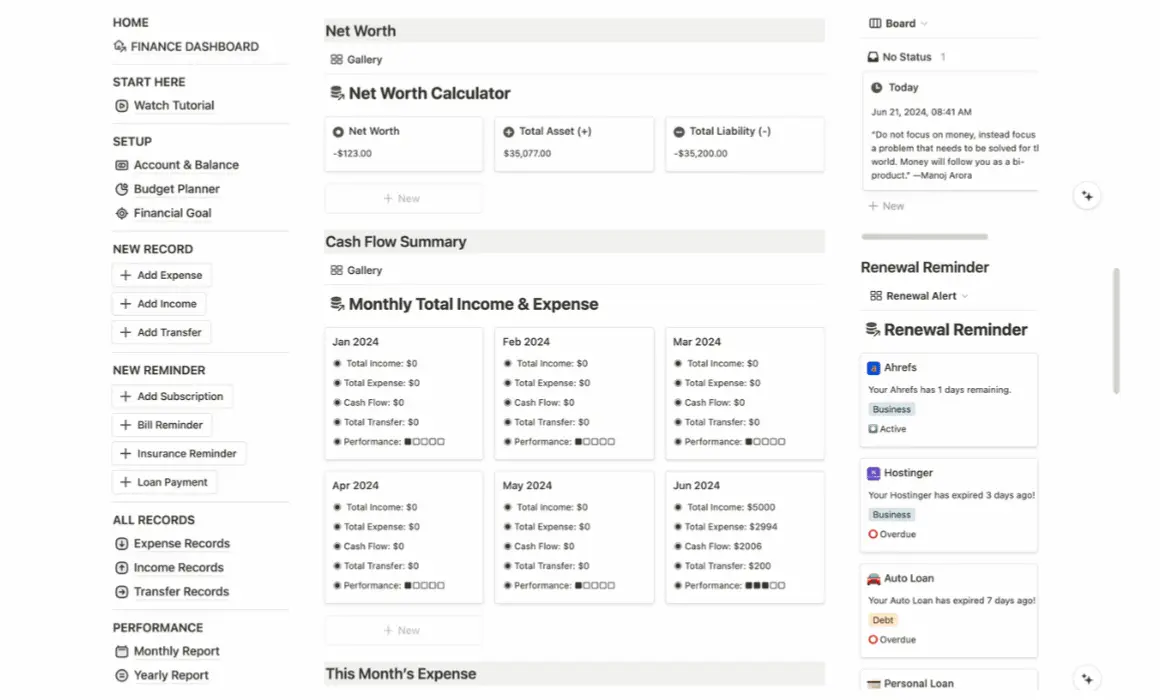
Say goodbye to messy records. Make your financial life 3× easier with one connected system for budgets, expenses, debts, investments, subscriptions, and money goals.


Auto Updated Numbers


See Where Money Goes
Video Tutorial Included
All-In-One Finance System
BUDGETING
Plan ahead and stick to your budgeting goals

Categorization: Organize your budget into categories such as groceries, entertainment, utilities, and more.
Allocation: Enter your budget, and watch as automatic allocation percentages are calculated for each spending category.
Control Your Spending: Separate your "Needs" vs. "Wants" and prioritize accordingly.
See where you're overspending and how much budget you have left

Monitor Spending: See where you're spending more than your budget allows.
Check Budget Balance: Find out how much budget you have left after each transaction.
Progress Bar: Color-coded progress bar (Red vs. Green) to easily identify areas of overspending.
MONEY IN & OUT
Easily track your income and expenses

Expense Tracker: Track expenses by category and subcategory to see where you may cut back and save money.
Income Tracker: Categorize your income sources, whether it's from your paycheck, freelance work, or online business.
Past Records: Review your income and expense history for This Month, This Year, or any Custom timeframe.
See where your money is going from Point A to Point B

Account Manager: Keep track of the bank accounts you're currently using and the amount of money in each account.
Bank Transfer Tracker: Easily monitor fund transfers from Account A to Account B and vice versa.
Real-Time Update: The Notion template will automatically update balances after each transfer.
Never miss an upcoming payment or cancel unwanted subscriptions

Stay Organized: Keep track of all your subscriptions in one place and monitor recurring payments.
Automated Renewal: Automatically update renewal dates based on your payment date.
Peace Of Mind: Find and cancel subscriptions you no longer use to save money.
ASSET & LIABILITY
Save money for large purchases in the future

Avoid Financial Stress: Plan ahead for large purchases like home down payments, weddings, or vacations without breaking the bank.
Smart Calculation: Clearly see how much you've saved for each fund and how much more you need.
Goal Progress: Easily track your savings goal with a visual progress bar that keeps you motivated.
See how you're growing your money

Asset Tracker: Keep track of all your investment assets in one place and monitor their statuses.
Gain & Loss: Track the current market value of your investments and monitor your gains and losses across investment assets.
Status: Track the status of each investment, whether active, sold, or pending.
Pay off your debts and achieve financial freedom faster

Loan Tracker: Track everything from student loans, business loans, auto loans to mortgages.
Payoff Countdown: See exactly when and how much more you need to pay off your debts.
Balance Monitoring: Track the remaining unpaid balance for each loan and monitor your progress in reducing debt!
PERFORMANCE
Automated financial health report

Snapshot: Monitor your total income, expense, cashflow, and savings rate throughout your life.
Automated Reports: View your financial performance with auto-generated monthly and annual reports.
Spot Trends: Understand your spending and earning patterns and make adjustments to improve your finances.
See where your money is going

Income Insights: See exactly where your income is coming from based on various income sources.
Expense Insights: Track where your money is going across various spending categories.
Review: Dive deeper into your category spending habits by This Month, This Year, or a Custom Year.
Financial goal tracking made simple

Money Goals: Whether it's an income goal, savings goal, investment goal, or debt payoff goal.
Calculator: Use the Notion calculator to estimate how much you can save and allocate for different goals.
Progress Bar: Visualize your progress towards your financial goals and see how much more you need to achieve them.
Stay motivated to achieve your financial freedom

Asset Tracker: Automatically calculate all your assets, such as savings, investments, cash and more.
Liability Tracker: Automatically calculate all your liabilities, such as debts, loans, mortgages, etc.
Net Worth: Visualize your net worth and stay motivated to achieve your financial freedom!
RECEIPT MANAGER
Search all your past records with ease

Receipt Tracker: A searchable tool to keep track of important receipts for future reference.
Categorization: Easily find receipts by categories such as subscriptions, insurance, utilities, and loans.
Tax Receipts: Access past payment records and obtain tax-deductible receipts for tax deduction purposes.
IN SUMMARY

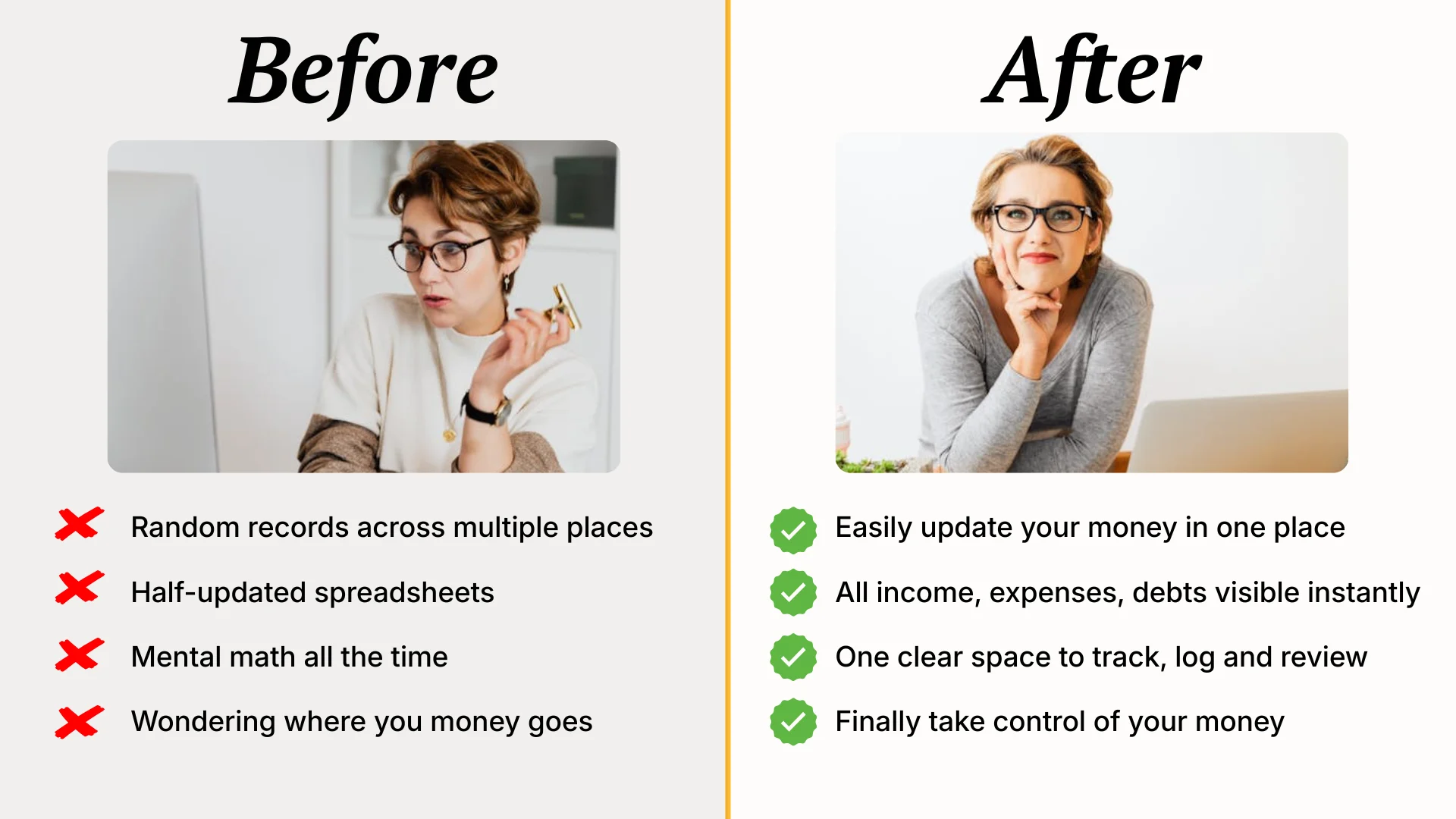

Busy Adults
Earning income and paying bills — but struggling to keep track of where everything goes.

Manage Multiple Payments
Mortgage, credit cards, loans, subscriptions — want a clear system to see everything in one place.

Tired of Spredsheets
Done with messy files and manual math — need an "all-in-one" system that actually makes sense.

The Template
Template link for the Ultimate Notion Finance Dashboard.


Video Instruction
Watch the 20-minute onboarding video guide to get started.


$59 $47
One-Time Payment. Use Forever!
All-in-one integrated finance system
Automated calculations — no manual math
One dashboard — no messy spreadsheets
Video instructions to help you get started
Instant access & duplicate in minutes
 Get Instant Access
By proceeding, you agree to the transaction policy and authorize Clarity Mastery (THE BUILDER LAB) to charge your payment method for the listed amount on the checkout page in USD. Payment is processed securely by Stripe, Inc. Your credit card statement may show "CLARITY MASTERY" for this transaction.
Add to Cart
Click on the purchase button, checkout and complete the payment. A sales receipt will be sent to your email for reference.
Duplicate
You’ll be redirected to a Notion page to copy the entire template. Log in to your own Notion account to duplicate.

Edit
Edit or customise your template in your Notion workspace. Get started by watching the included video onboarding tutorial.
Notion is an all-in-one tool that combines note-taking, spreadsheets, and documents. It's like using Microsoft Word, Excel or Google Sheets, but it makes things more exciting by turning boring documents into visually engaging and clickable layouts. You can easily duplicate any publicly shared Notion templates and customize them to suit your needs.
Yes. If you don't have a Notion account, you can create one for free. If you already have a free Notion account, you can easily duplicate this template to your workspace. There's no need to upgrade your Notion plan to use this template.
We've recorded a 20-minute video to help you get started. This video is specifically designed for getting you familiar with the initial setup in the Ultimate Finance Dashboard. However, please note that it is not intended to be an in-depth Notion training video.
This finance tracker is perfect for all levels of Notion users. Beginners can watch the included video instruction to get started easily. Advanced Notion users will appreciate the integrated relational databases, which they can modify on their own to fit their needs.
Unlike physical items (e.g. shoes, clothes), this purchase is a digital product with instant access. Once you have gained access to any of the materials, there will be no refunds, exchanges, or cancellations. By making a purchase, you agree to these terms, acknowledging that you've done your due diligence.
Yes. After your purchase, you can copy this template into your Notion workspace. Once copied, you can make any changes to the layout and records as you wish.
Yes. Unless you choose to publish and share the pages publicly, all of your data entry and records will be visible just to you.
Yes. To access the template on your mobile device, simply download the Notion app from the App Store (iOS) or Google Play Store (Android), log in to your Notion account, and start tracking your finances on the go.
No. The Ultimate Finance Dashboard is a complete system, not just a standalone template. All pages are fully integrated to provide an automated personal finance experience.
No, but we do provide additional services. A 1-on-1 Notion consultation costs US$150 per hour, and clients can request customized Notion templates to be created during a live Zoom call.
No, you cannot connect your bank account directly with Notion, and this is for security reasons. However, you can track and enter your total balance in the Account Tracker. As you record new transactions (e.g. expense or income), the tracker will automatically update your balance accordingly.
Build better money 💰 habits and achieve your financial goals faster