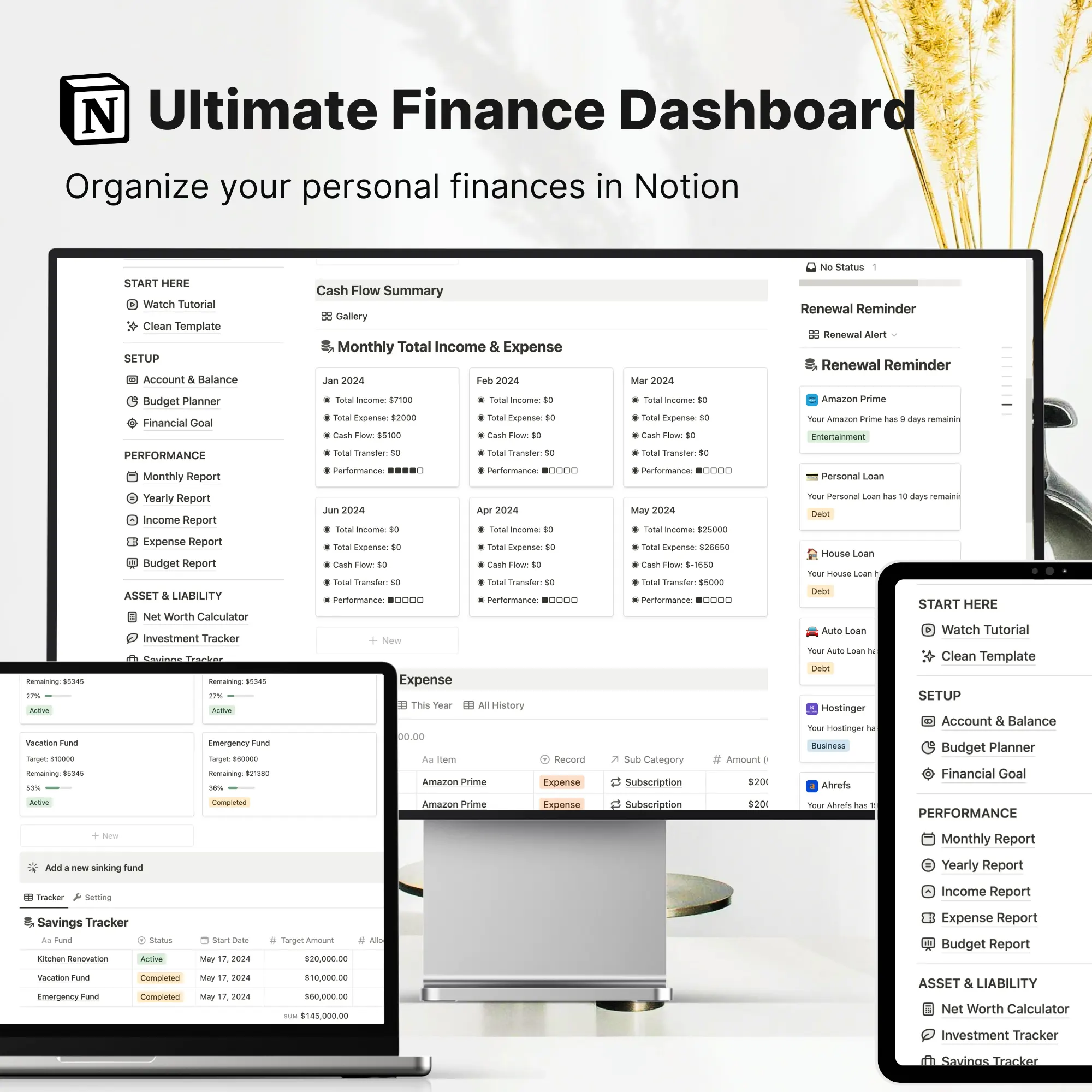
This template is built-in inside the Ultimate Notion Personal Finance System. Get the full template →
A connected budgeting template in Notion to track income, expenses, and monthly spending. Stay organized with this personal finance Notion template.
See how to track your finances in Notion →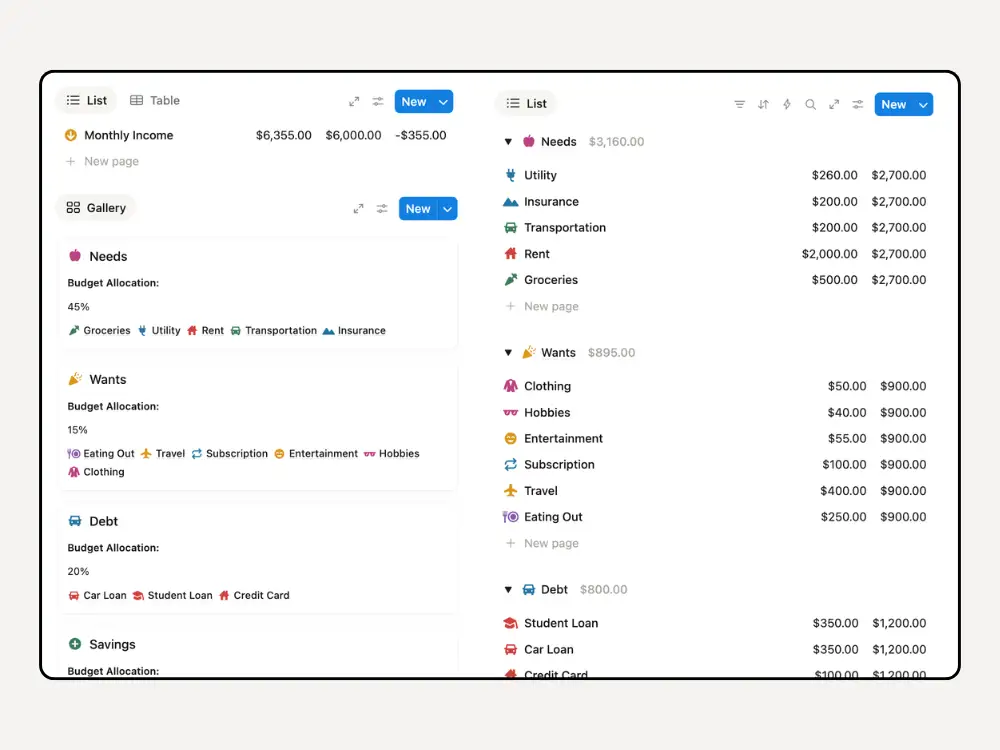
Budgeting in Notion has become increasingly popular among working adults who want a more flexible and visual way to manage their money.
Unlike rigid apps, a notion budget template allows you to fully customize how you track income, plan spending, and monitor financial progress — all inside one connected workspace.
However, many people still rely on spreadsheets for budgeting and quickly run into common frustrations:
Traditional spreadsheets can work, but they often become difficult to maintain consistently, especially when life gets busy.
A well-structured budgeting template in Notion solves these problems by:
Instead of constantly fixing Excel formulas, you can focus on making better financial decisions.
This personal finance Notion template is especially helpful for busy working adults, freelancers, knowledge professionals and anyone who wants a clear monthly budgeting workflow without spreadsheet overwhelm.
Watch the full walkthrough to see how this Notion budgeting template helps you track income, manage categories, and monitor spending.
A Notion budget template is a pre-built financial tracking system that helps you plan, allocate, and monitor your money inside Notion using connected databases and automated calculations.
At its core, the template functions as a centralized monthly budget planner that combines:
Instead of manually updating totals, the system uses relations, rollups, and formulas to automatically calculate how much you’ve budgeted, spent, and have remaining.
Most structured budgeting templates in Notion include:
The power of Notion budgeting comes from its relational database design:
This structure turns Notion into a dynamic personal finance dashboard rather than just a static tracker.
This budgeting template is designed for people who want a clean, flexible system to manage their money without spreadsheet complexity.
If you’re juggling rent or mortgage payments, utilities, subscriptions, insurance, groceries, and daily spending, this system keeps everything organized in one monthly view.
If you’re juggling rent or mortgage payments, utilities, subscriptions, insurance, groceries, and daily spending, this system keeps everything organized in one monthly view.
If you’re managing student loans, credit cards, or car loans while still trying to save, structured category budgeting helps you prioritize allocations clearly.
Self-employed and solopreneurs with multiple income streams.
If you prefer to run your entire personal finance in one place without flipping between apps, this Notion budgeting template is for you.
If you’re tired of broken formulas and manual spreadsheet updates, Notion offers a more automated and visual approach to monthly budgeting.
This Notion budget template helps you allocate your income across main categories — Needs, Wants, Savings, Debt, and Investments. Each category can be broken down into detailed subcategories for precise tracking, such as:
Set clear budget limits and monitor progress in real time using automated calculations and progress bars.
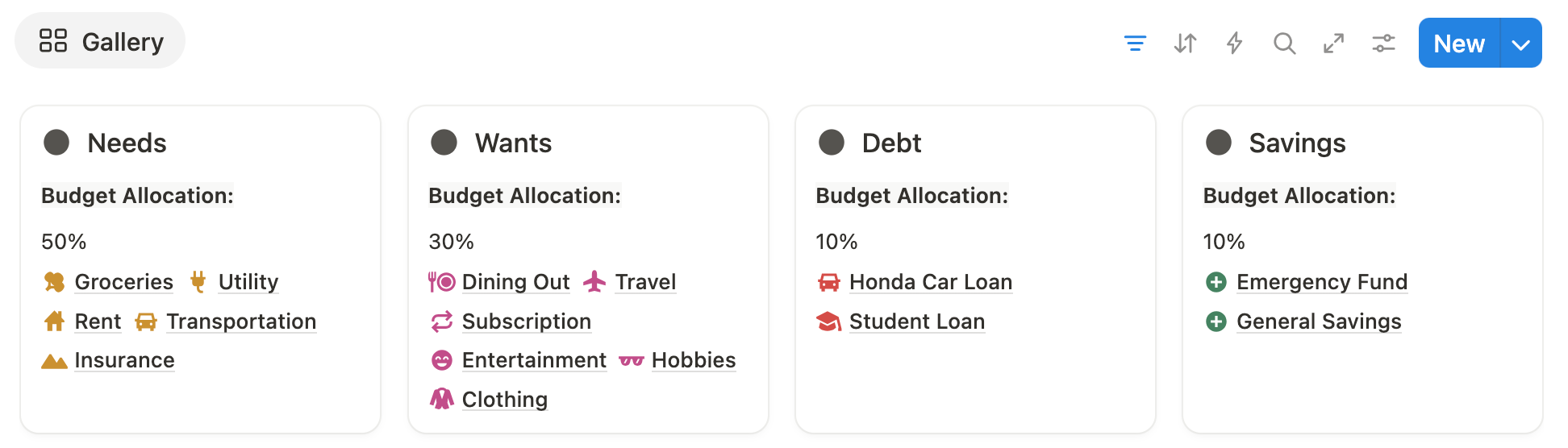
The template supports the popular 50/30/20 budgeting method:
How it works:
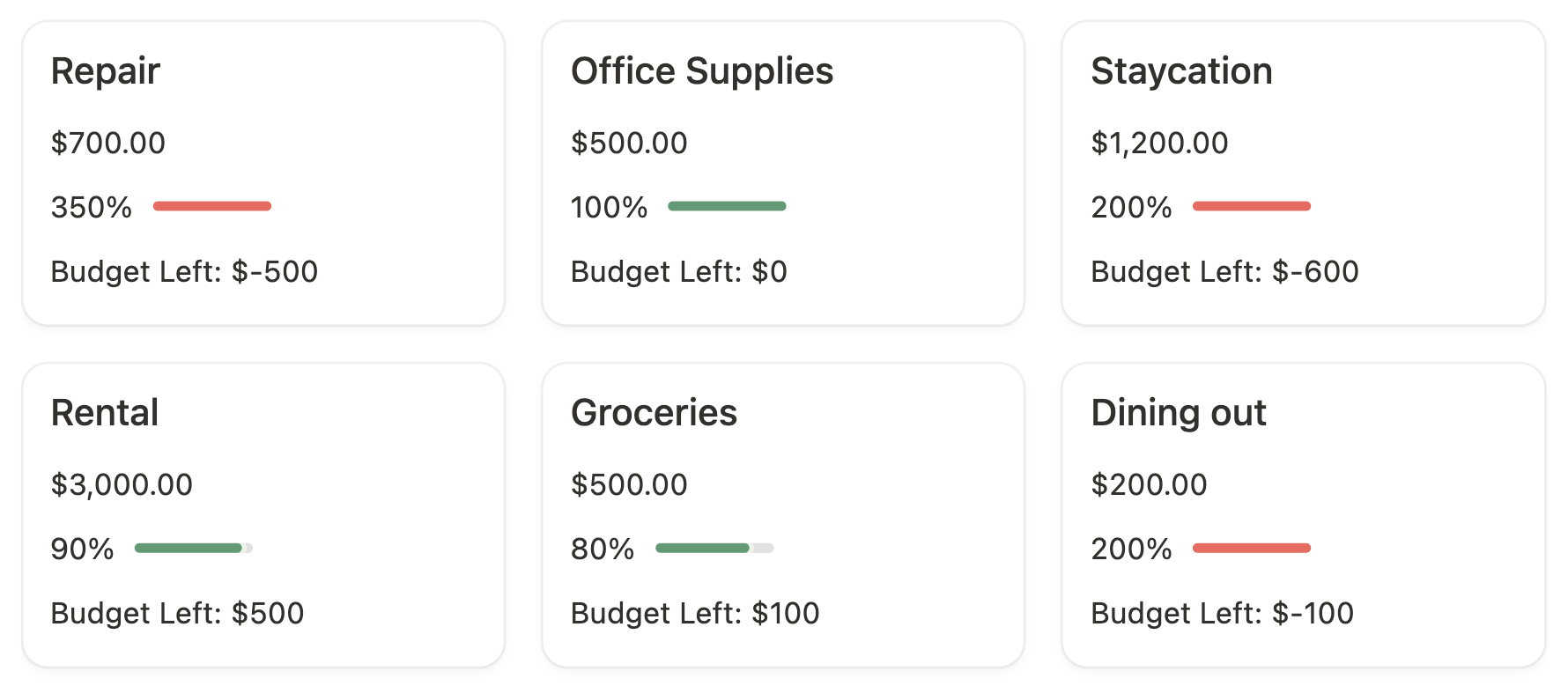
Log your daily expenses and instantly see how they impact your budget categories. Green/red progress bars clearly indicate whether you are within budget or overspending. This makes it easy to spot patterns and adjust spending before problems arise.

The template also includes reporting features to help you analyze your finances:
Follow these simple steps to plan your monthly budget and track spending in Notion:
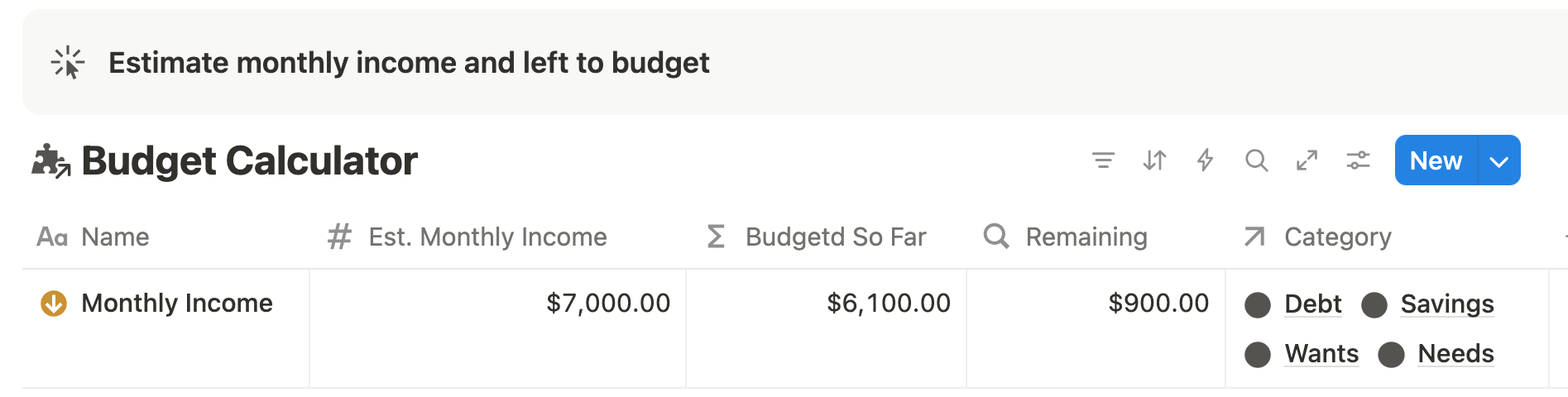
Start in the Income Calculator and add your estimated monthly income from all sources — salary, freelance work, or side hustles. The template automatically tracks how much you’ve already planned to spend and shows your Remaining to Budget.
Go to Budget Categories and assign amounts or percentages to main categories — Needs, Wants, Savings, Debt, and Investments. The template calculates the available amount for each category based on your income.
Open the Subcategory database and set amounts for each item. For example:
Totals for each main category are automatically calculated so you can see exactly how much you’ve allocated.
Whenever you spend, log the transaction in the Expense Tracker. Select the subcategory, enter the account, and input the amount. The template automatically links it to the correct main category and updates your spending progress barsin real time.
Use the Budget Report to see which categories are within budget (green bars) and which are over (red bars). You can also view remaining budget amounts per category to help you adjust spending.
Filter past months in your Monthly Review to compare spending trends. This lets you spot overspending patterns and make adjustments for the next month.
Switch to Gallery View for a visual breakdown of each category’s budget and spending. Table View is still available for quick edits or adding new items.
Whether you follow the 50/30/20 rule or zero-based budgeting, the template adapts. Use percentage allocations for a quick setup, or assign every dollar until your “Remaining to Budget” is zero for full control.
This Notion Budgeting Template helps you:
It’s a ready-to-use system inside the powerful Ultimate Notion Finance Template — so you can start managing your money today without building anything from scratch.
This budgeting system is perfect for busy adults who want clarity and control over their money. It’s ideal if you:
Not all budgeting templates offer the same level of automation and financial visibility.
Basic templates work well for simple budgeting. However, many users eventually need a more connected financial system that includes net worth tracking, subscriptions, and long-term planning.
For users who want their entire money workflow in one place, an all-in-one finance system provides deeper visibility and automation.
The Notion Budgeting Planner Template is a pre-built system inside Notion that helps busy working adults track income, allocate spending by category, and manage monthly budgets automatically. It includes a built-in budget calculator, allowing you to break down income into savings, debt, needs, and wants — without creating formulas manually.
The built-in calculator automatically allocates your income based on customizable percentage rules. After entering your estimated monthly income, the system calculates available budgets for each main category and lets you distribute totals into detailed subcategories while showing the remaining amount to spend in real-time.
Yes! The template supports multiple income sources, ideal for freelancers, dual-income households, or side hustlers. You can link or unlink different income pages within the database and assign percentages to each main category, keeping your budget accurate and flexible.
Absolutely. The template supports the 50/30/20 method — 50% for Needs, 30% for Wants, and 20% for Savings/Debt. You can also customize the percentages to match any budgeting framework, including zero-based budgeting.
No formula knowledge is required. All calculations, rollups, and progress tracking are built in. Just enter your income and category allocations — the template handles the math automatically.
Yes. By logging daily expenses and linking them to categories, the template automatically updates progress bars and totals, showing which categories are within budget and where you might be overspending. It’s a visual and automated way to stay on track each month.
If you want a clear, automated way to track income, manage spending, and see your budget progress at a glance, this Notion budgeting template is ready to use.
It’s part of the Ultimate Notion Finance Template, which connects all your finances — income, expenses, debts, subscriptions, and investments — in one organized Notion dashboard.
Duplicate the template and start tracking today. Spend less time worrying about your finances and more time focusing on what matters.
👉 Get Access to the Complete Finance System
March 12, 2026