


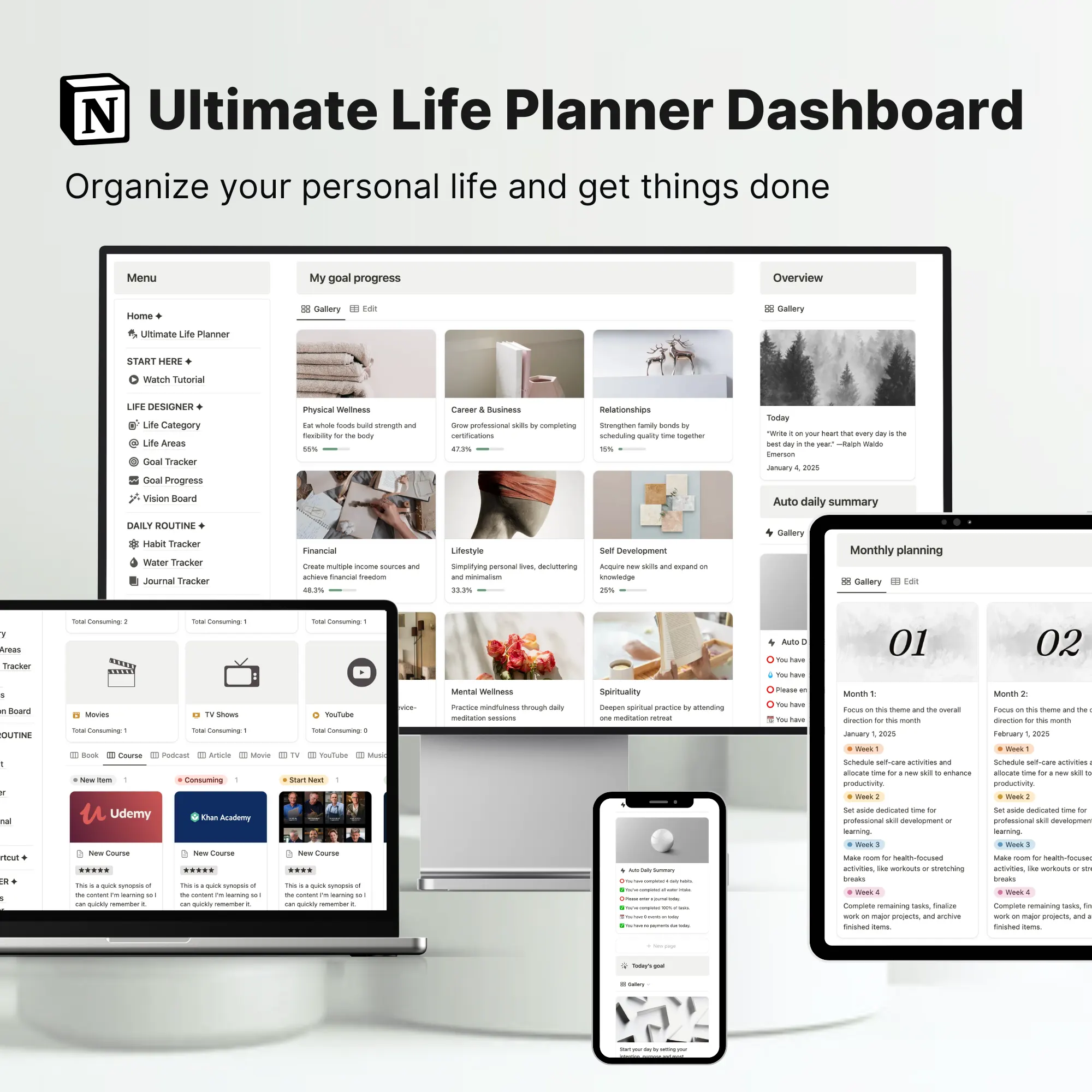
What is a Notion Book Reading Template?
A Notion Book Reading Template is a digital tracker that helps you organize every aspect of your reading journey. Instead of passively skimming through titles or keeping scattered notes, this template allows you to:
- Track books you’re currently reading, want to read, or have finished
- Log details like author, genre, format, and personal ratings
- Capture key takeaways, quotes, and reflections in one central place
- Visualize your progress with automated dashboards and reports
It’s designed to help you build consistent reading habits, hit yearly reading goals, and stay deeply connected with the books you read—all inside Notion.
Who Should Use This Template?
This template is perfect for:
- Book lovers & casual readers: Keep track of books to read, in progress, or completed, without losing track of titles or authors.
- Professionals & self-improvement enthusiasts: Align your reading with personal growth, career development, or skill-building goals.
- Avid readers & book club members: Record detailed logs of reading history, ratings, reviews, and favorite quotes to easily share recommendations or prepare for discussions.
- Anyone looking to build a reading habit: Track daily progress, set yearly targets (like 12 or 50 books), and visualize your reading journey to stay motivated.
Benefits of Using Notion for Book Tracking
Using Notion to track your reading has several advantages over traditional spreadsheets or notebooks:
- Centralized book management: Store all past, present, and future books in one place with easy-to-use databases.
- Automated progress tracking: Mark books as To Read, Currently Reading, or Finished, and watch live progress bars update automatically.
- Goal visualization: Set yearly reading challenges, and let Notion calculate your progress without manual counting.
- Digital bookshelf: Organize books by category, genre, or custom tags. Built-in search and filters make it easy to locate any title.
- Capture reviews and reflections: Jot down insights, quotes, or lessons learned directly in the template, creating a personal knowledge base.
- Integration with life planning: Connect your reading log with habits, learning trackers, and personal goals for holistic growth.
How to Choose the Best Notion Book Tracker Template
When selecting a reading tracker template, consider:
- Customization: Can you adapt it to your reading style and goals?
- Automation: Does it calculate progress and update dashboards automatically?
- Integration: Can it connect with your broader life planner, habit tracker, or learning system?
- Visual appeal: Is it easy to navigate and visually organized for quick reference?
- Support & documentation: Are there clear instructions or walkthroughs for setting it up?
The Notion Book Reading Template included in the Ultimate Notion Life Planner meets all these criteria, offering an automated, visually appealing, and fully integrated experience.
Free vs Paid Notion Book Reading Templates
- Free Templates: Usually simple trackers with limited fields, basic progress tracking, and no dashboard automation. Good for casual users or those just starting.
- Paid Templates (like the Ultimate Notion Life Planner): Full-featured dashboards, automated reading stats, curated views, and integration with other life planning systems. Ideal for readers who want an all-in-one, time-saving solution.
How It Works / Notion Template Tour
Here’s how to start using the Notion Book Reading Template effectively:
Step 1: Add books to your tracker
- Enter currently reading, want-to-read, or recently finished books
- Include details like author, genre, format, and optional ratings
- Upload book covers for a visual digital bookshelf
Step 2: Track your reading progress
- Update pages read as you go
- See progress bars fill automatically for each book
- Finished books appear in monthly or yearly review panels
Step 3: Reflect as you read
- Use the Notes/Review section for takeaways, quotes, or insights
- Link books to detailed note pages for longer reflections
- Strengthen retention and revisit ideas easily
Step 4: Use the Reading Dashboard
- View all current reads, TBR shelf, and yearly goals in one place
- Filter favorites, high-rated books, or genres
- Track your reading habit without micromanaging
Step 5: Watch yearly goals update automatically
- Set a target (e.g., 30 books per year)
- Progress updates in real-time as you mark books finished
- Stay motivated with live dashboards and visual progress bars
Tip: Watch our full walkthrough video to see the template in action.
Frequently Asked Questions
What is a Notion book tracker?
A customizable template to log and track books, including title, author, genre, format, dates, ratings, and notes. Can be turned into dashboards or reports.
How do I track reading progress in Notion?
Use number fields like “Pages Read” and “Total Pages” and formulas or visual bars to calculate completion percentages automatically.
Can I set a yearly reading goal?
Yes, the template includes a built-in goal tracker that updates automatically as you finish books.
Does this integrate with other life planning tools?
Absolutely. It’s part of the Ultimate Notion Life Planner, which includes learning trackers, habits, goals, and daily/monthly planning.
Can I save books from the web directly into this tracker?
Yes. Using the Notion Web Clipper, you can add books from Goodreads or Amazon.
Does it work for audiobooks and ebooks?
Yes, you can track any format—ebooks, audiobooks, or physical books.
Can I write book reviews and notes?
Yes, each entry has space for reflections, notes, and highlights, turning your tracker into a full book review system.
Get Your Notion Book Reading Template
The Notion Book Reading Template is part of the Ultimate Notion Life Planner Template—a complete system with 30+ tools for habits, goals, learning, and more. Connect your reading journey with every area of your life for intentional growth.
[Get the Full Life Planner Template →]